To request the return of a product, follow these steps:
To begin, sign in to your account. The screenshots below show the Portuguese version of the site.
-
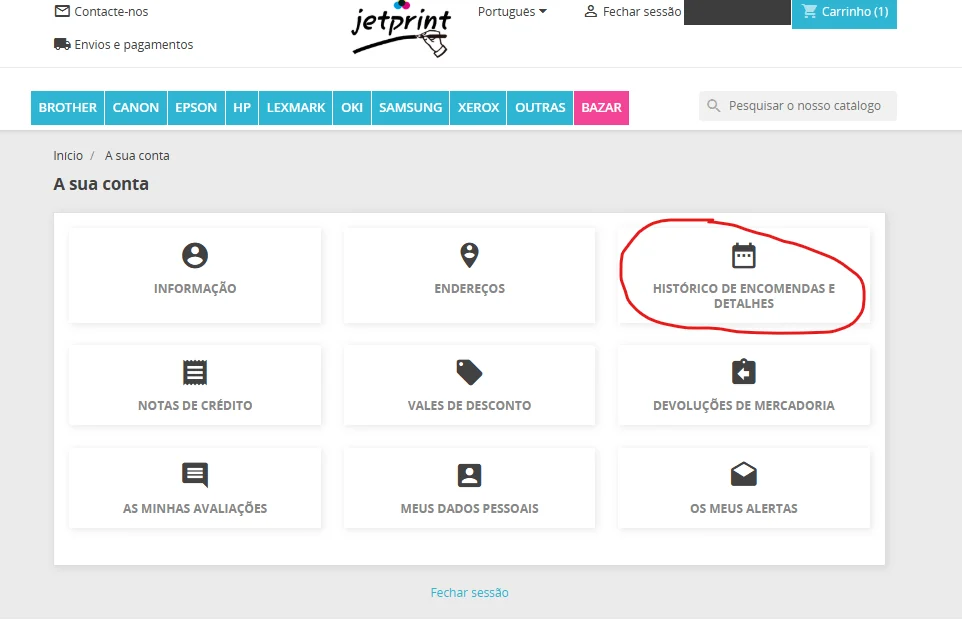
On the Your account page, click Order history and details (circled in red).
-
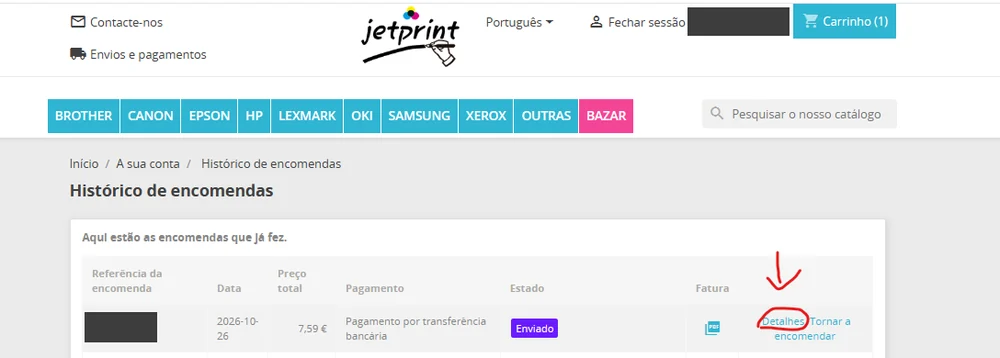
In the Order history, click Details on the order you want to return.
-
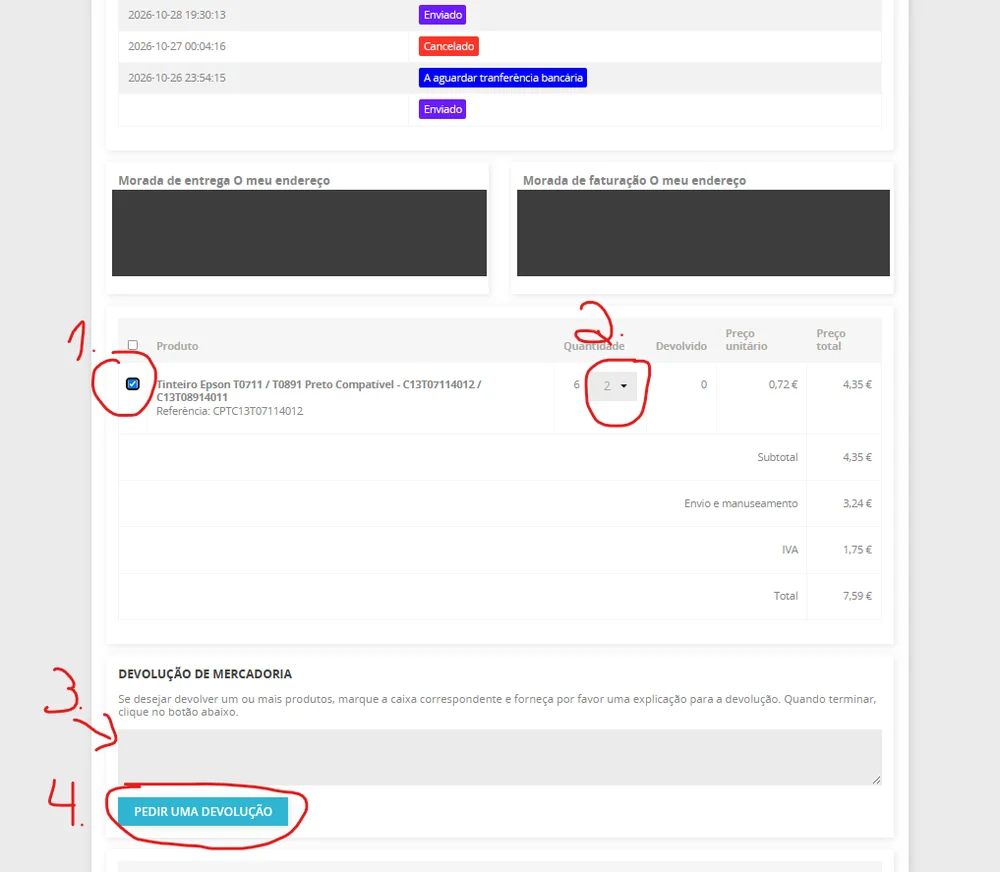
On the order details page, at the end of the page:
- tick the box of the product you want to return;
- choose the quantity to return;
- write the reason for the return in the text box;
- click Request a return.
Return deadlines and conditions are set out in our Return Policy. If you need help, contact us.